I’m also having the issue - hope this is not a design change, the Create Section worked like a dream and really impressed people I showed. Having to add your own instructions takes away from the natural langue though process that helps novice users
I had the same issue. I was able to remove the hidden class to see the old convo section but it’s not the same. When you engage with it it doesn’t populate into configure. Interested to see if this is temporary or if we’re meant to use the chat to configure differently.
@rohitoai can you share any more information? I guess we’d all welcome some further context so we can make sense of what is happening.
The create button is gone and on my desktop application, all “My GPTs” have a lock beside them. My account is in good standing and I’ve cleared my cache and restarted all applications and my computer. I am absolutely stuck without the ability to configure my GPT. Why are they locked now?
No feedback on this is pretty frustrating…
There seems to be an issue, when i try this it says there is an issue updating, and even after it says it add the instructions to the gpt, when I reload the page the instructions are not there. Could be unrelated but IDK I hope it gets fix soon.
i just realized all i have to do is right click on configure and click on inspect and then the preview box comes up already but maybe because i haven’t deleted any b hist . ill check in a bit
actually i realized i dont have to edit anything at all, you just hit f12 and then the preview button moves next to configure, and with the dev console still open (for you cavemen out there, that’s the console that comes up when you hit f12) it will allow you to click preview and enter into the gpt builder on the left and custom gpt on the right. then after you click preview close the console.
-
open up new or old custom gpt
-
hit the f12 key to open the dev console
-
Confirm that when you pull up the dev console, it moves the ‘preview’ label over next to the configure button automatically.
-
Even though it’s grey’d out click preview and it will take you to that gpt builder and it behaves normal for me until i have to edit again and just have to do that again.

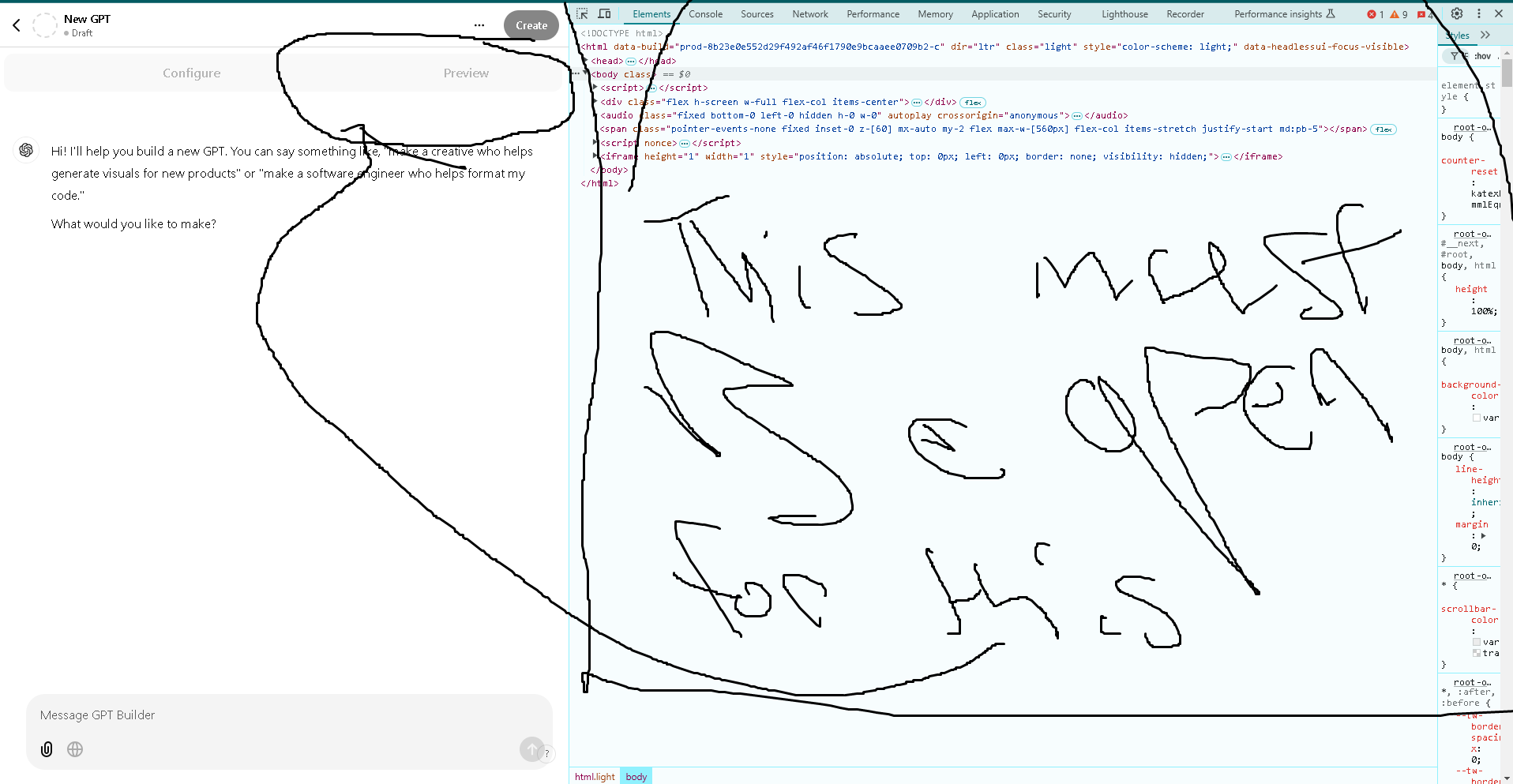


I actually decided to look into this further, because originally I believe @_j noted this.
I was under the impression as well that, yeah, it’s preview which always existed.
However, if you click the button the builder actually appears:

and it seems fully functional


Unfortunately I deleted my original post.
BUT, if you want your GPT builder back you can simply paste this code into the developer’s console:
document.querySelector("div.w-1\\/3").classList = ["flex", "w-1/3"]
Then, click preview, and then the page will be replaced
I can’t get it to work on mobile all it does is combine left and right. That’s cool that it works on PC. Wonder why it renames it preview. Since OpenAI said they closed it, maybe that’s part of the new unreleased update.
It could be that it’s being messed around and whatever didn’t work yesterday works today 
I just tried it in the chrome browser on apple. It’s just preview it don’t edit the GPT. It may have something to do with browser types mobile vs desktop.
It don’t bug me I don’t use creator. But it irritates me it’s bugged lol 

Welp. I’m using Firefox in Ubuntu.
So, if anyone wants it back, there may be some hurdles but it’s possible 
Makes me wonder why they blocked it off in the first place.
They said it was having issues. Others have posted OpenAI responses to tickets.
One example Urgent: "Create" Tab Missing in MyGPT - #102 by piniboysod
I have built a very important custom GPT, and people are already using it in my organization. I was generating documentation for the tool, and here we go - a design change with the key feature missing!!! I’m clueless right now.
Same. Timing couldn’t be worse. I’m absolutely paused until this is resolved.
Just now:
Ah, thanks, I can see it now. 
For those who are not getting it still, try refreshing the page multiple times, I got mine like that.
GPT Create button just return!!! Everybody enjoy !!!