Hi there,
Does anyone know why I keep getting this error even though I haven’t even made 1 successful request in months:
openai.RateLimitError: Error code: 429 - {'error': {'message': 'You exceeded your current quota, please check your plan and billing details. For more information on this error, read the docs: https://platform.openai.com/docs/guides/error-codes/api-errors.', 'type': 'insufficient_quota', 'param': None, 'code': 'insufficient_quota'}}
My OpenAI account > Organization > Limits show I should have all of my budget left and there exist rate limits for the gpt-5 model I’m trying to use so I’d assume I should be able to use it:
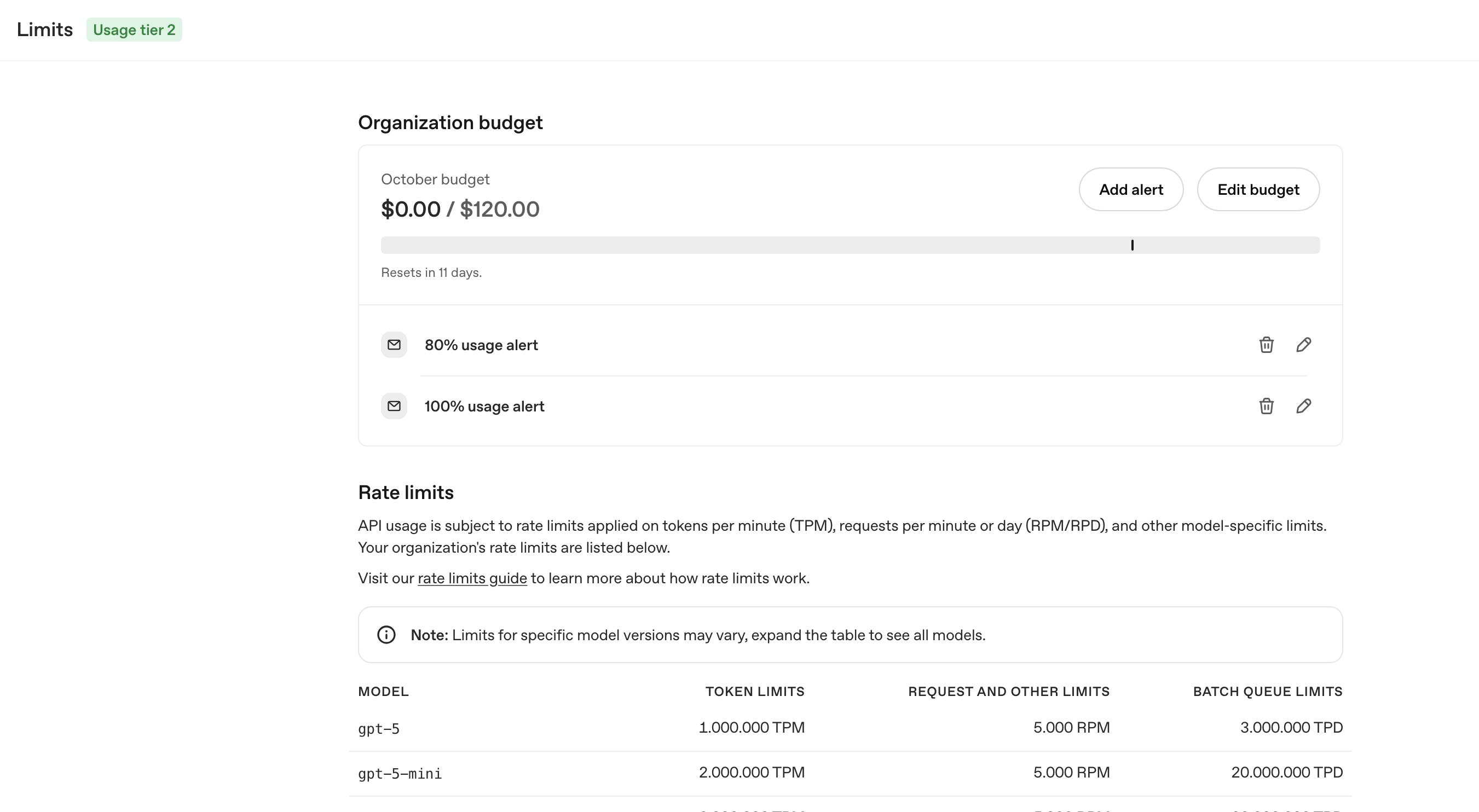
This is on my free tier account though, although according to the docs this should only affect the limits as shown above. Yet, I’m not even able to make 1 request without getting this error.
Can anyone help me out here please?
Thanks in advance.
Kind regards,
P.S. Also I do have $10.00 credits topped up in my balance