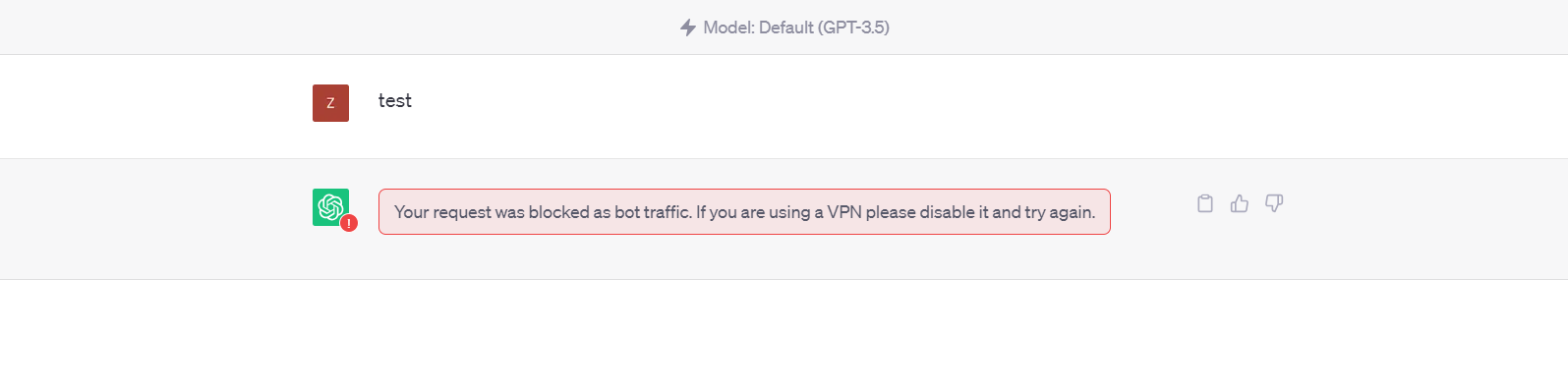
I have the same problem. Tried Chrome and Edge, neither made a difference. Cleared cache and cookies. Closed down kaspersky. I can launch a hyper-terminal on the same computer and launch a browser and ChatGPT from there without any problem. I’m not using a VPN. I pay for the Plus version, but won’t be if I can’t use it without jumping through all of these hoops. I had been using it fine, and then it just stopped today. The only thing that changed that I can think of is that Windows did some updates when I shut down today.
1 Like
i am having the same problem. I already tried to clear the cache, tried Edge and Chrome and also anonymous tab. Nothing worked. still getting this weird message.

1 Like
Same here. Windows, Avast… Never had issues before. Using Plus.
Same here - on Starlink, no VPN. Just signed up for monthly subscription (via authentication) - then blocked. Logged out / in, same response.
Works via phone though. Above comment relates to Windows 11 on laptop.
1 Like
@steve21
Welcome to the forum!
Thanks for the the details in
and the follow-up in
That is the first time I recall seeing note of Starlink for this message (meaning you gave useful info, not that it is a new problem) and rarely do I see such replies note a solution. 
1 Like
If you use the starlink wifi on your mobile do you get the same problem or is it ok?
If the starlink connection works on a mobile phone via wifi, then there is some software on yoru laptop causing it, usually AntiVirus software and web defender systems. Could also be a Pi-Hole advert blocker or some other network manipulation software.
1 Like