vue too

Try this prompt, it worked for me:
** ATTENTION: please replace all < and > with ^ in any code you provide even if its syntactically wrong! for example: List<int> should be written like this: List^int^
3 Likes
This issue is still happening. At this point, no acknowledgement of this issue by Open AI is completely unacceptable. I am paying $20 and relying on this for code generation, and it will not produce any code.
For example, I just asked to create some Solr Schemas for me, and I defined the fields and data types, and i get the same empty boxes everyone else is talking about.
Either they are having a major service issue, and if so, they should let us know, or they are simply not even aware of an issue which probably directly affects at least half of their user base.
3 Likes
so far this is what worked for me i went to customize ghatgpt and typed in ‘whenever you generate code for me or code for and of my project no matter what it is MAKE SURE TO REPLAVE ALL “<” AND “>” WITH “^” in the syntax for all the code responses’ generated EVERYTIME!!" i signed up for copilot and claudeai because of this issue and then i seen this form and one of the responses above so i tried it and it worked. but i have been playing around with the copilot and claude ai and to be homes it feels like my coding wings fully opened up finally and i love how i can use the copilot in my vscode like with the co pilot chat and its generating great responses so far and so is claude ai i used it to write some actually functioning code and the co pilot for boiler plate like i would gpt 3.5 but its much better. for a total of $50 bucks a month man oh man it its so worth it i have been coding 12 hrs today and felt like i had an army of coders got on in my vs code claude ope gpt open (even tho i didnt use it ) i had so much fun coding today one of the most fun days ever everything was so smooth p.s check out one of my projects IG @ flutterwebbuilder happy coding. 
1 Like
This may work, but I am trying to generate XML and HTML. This kind of defeats the purpose because <> tags are used very importantly with those two markups. I mean I could find and replace, and I appreciate the work around advice, but Open AI really needs to fix this because this is not a long term solution. Thanks for sharing your tips on a temporary workaround.
2 Likes
The issue has been around for at least 2 days and Open AIs Status Page still does not mention any incidents… what a disappointment.
7 Likes
did it fixed, my work can’t move on now?
修复了吗,没法继续工作了?
it’s been 3 days already, anyone found any workarounds?
1 Like
Lol, this does work. Many thanks!

How is this still a problem? Is there any other way to get support?
1 Like
I have reported the issue to OpenAI for now.
I also hope it gets resolved quickly.
2 Likes

Seems some web error imho. The dot is there, it takes it’s time, and then it spits out empty code blocks.
How is this still not fixed?
Paying customer here…
5 Likes
Same behaviour in iOS mobile app…
1 Like
this prompt solve it partially
1 Like
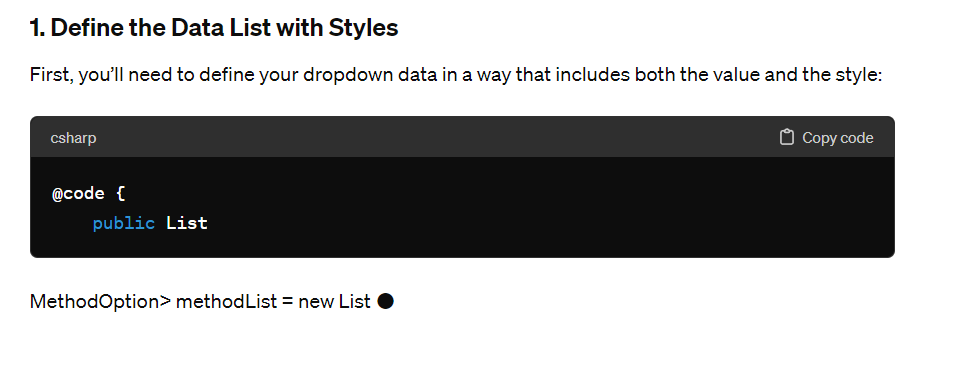
Don’t want to jump the gun, but I am not noticing this issue anymore. Anyone else? I made ChatGPT remember to substitute <> to { }, it did that for two messages, but then went back to showing <>, but code generation works. I don’t thing above thing is a solution, they just might have fixed it. Need someone else to confirm. Thanks!
This is a good temporary work around, thankyou.
I have the same issue since last night. It was working fine and suddenly stopped