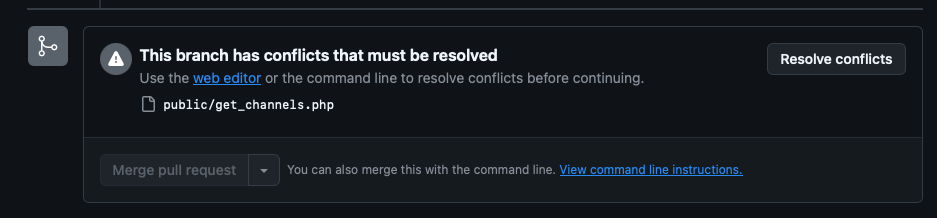
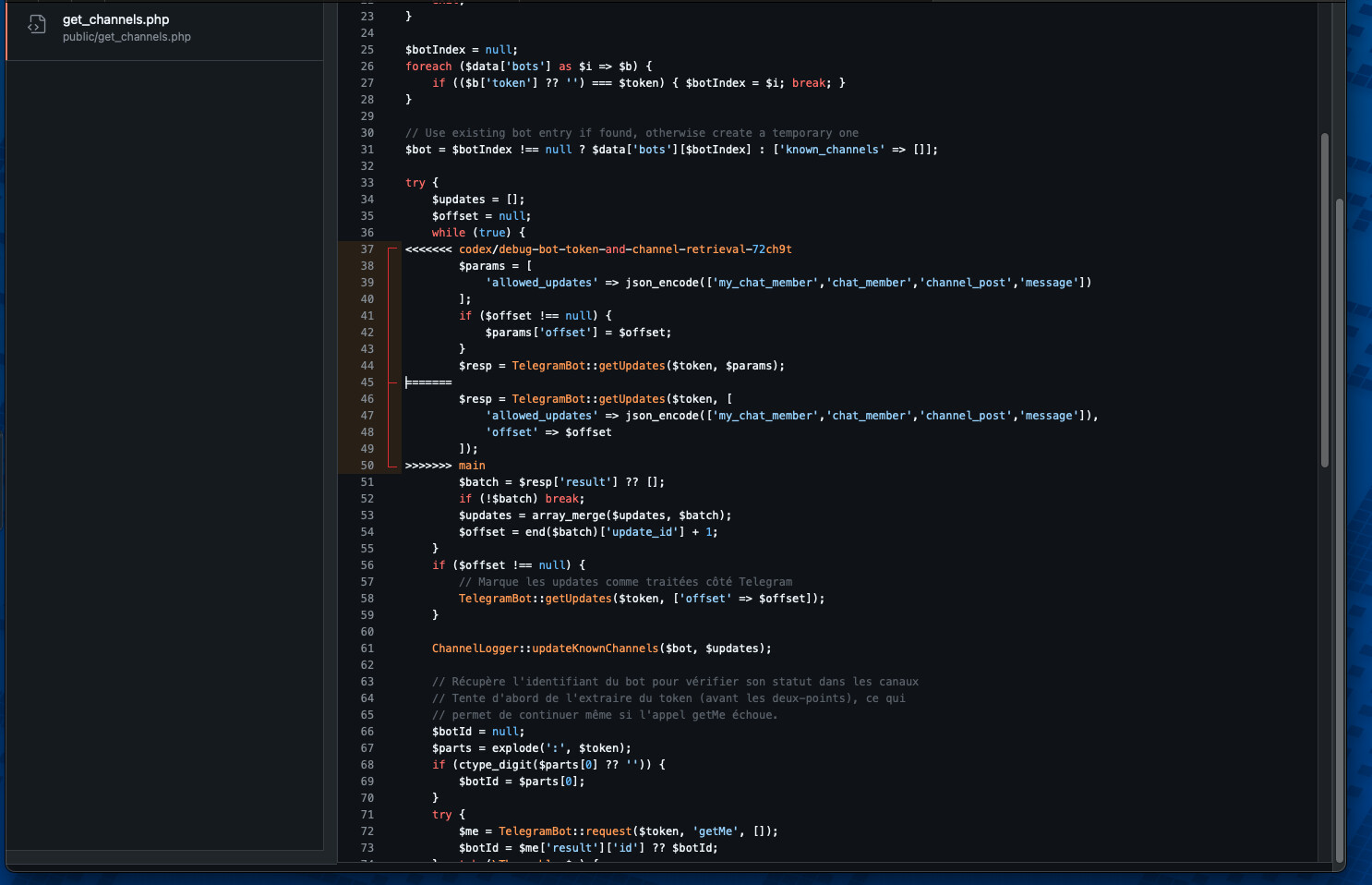
Codex sometimes add some lines like you can see on screens.
I don’t know why because this bug is random but it is very frequent which is really a problem.
This bug happens all the time when you continue to work on a branch you want to correct (by making a new branch I don’t think I’ve had this bug), but it means you have to re-enter all the instructions, which isn’t very practical :/.
Would it be possible to pass this information on to the devs please?
thats not a bug its a diff, you most likely selected the wrong branch in codex online or did not push the latest changes to that branch when you gave it to codex. What you are seeing is the diff from codex branch that wants to merge with your main branch but it is showing you the difference. You could delete the main lines in the diff and click resolve to merge them. Hope it makes sense.
Also give those screenshots to gpt 5 to explain it better than me!
How can this be when the branch name hasn’t changed?
This problem only occurs when you work in the same discussion in CODEX, when you open a new discussion each time you make a change, you never have this problem.
Take the test:
- Start a discussion (with selected environment)
- Ask for a modification, then > [Code].
- It will code and propose to see the extraction request
- Then accept the merge on gihub.
So far, so good.
Then open the discussion again (the same one, not a new one, so it’s the same branch).
- Ask him for a modification, then > [Code].
- It will code and propose to see the extraction request.
- Then accept the merge on gihub.
And either it works if you’re lucky, but in 70% of cases the bug occurs even though you haven’t touched anything (no branch change).
But the problem isn’t solving the problem, it’s not having it anymore
The problem is recurrent and occurs very very very regularly in about 70% of cases when working on the same branch and only with Codex (online version). I don’t work locally via Cursor, so the problem really comes from Codex, which creates this error when working in the same conversation and the same branch.