Hi everyone! 
I hope your day is going amazing! So sorry, this is a long one 
I’m trying to use ChatGPT-4 to help me develop an automatic lead scraper. The goal is to have it go to Google Maps, search a specified city and business type (with fields for each), and then pull the business name, phone number, address, and website. The current script that I pasted down below aims to use a chrome extension “instant data scraper” to scrape the leads. I initially had GPT make me a custom script that didn’t use any extensions in hopes that it would get rid of the scrolling error but no dice, the same error happened haha
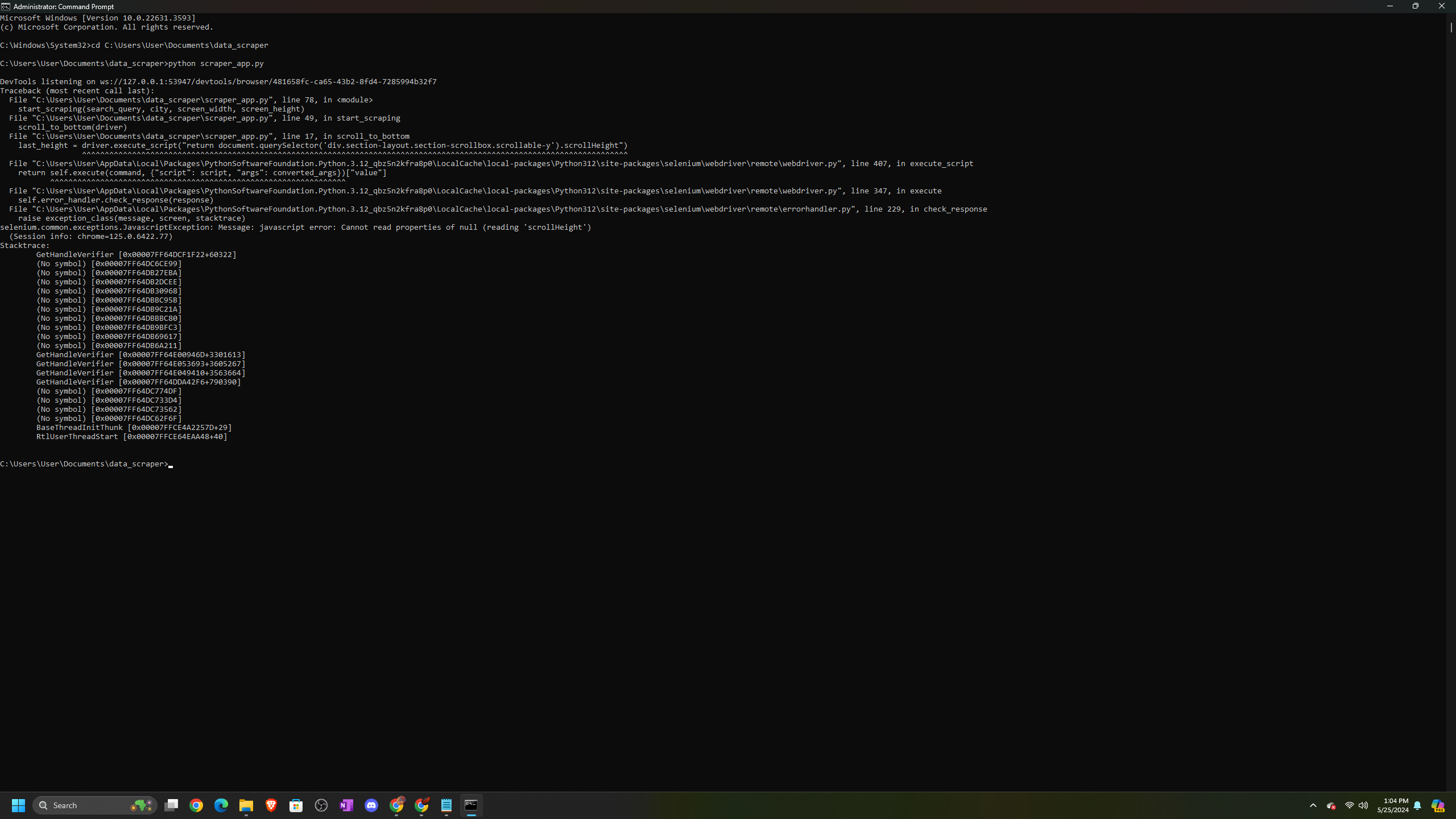
I’ve asked ChatGPT to help me write the program, but I’m stuck with an error: “cannot read properties of null (reading ‘scrollHeight’).” I’ve tried multiple suggestions from GPT, but none have worked.
I’ve attached a screenshot of the error in my command prompt to this post, I’ve also pasted the script down below that ChatGPT made with its suggested correction. Unfortunately, the correction did not fix the problem.
I’m really confused and don’t know much about coding. If possible, could anyone guide me through this issue or suggest any solutions? Also, is there a way to arrange a live call with an OpenAI representative for more direct guidance?
Thank you so much for your help! 
import time
import csv
import pyautogui
from selenium import webdriver
from selenium.webdriver.common.keys import Keys
from selenium.webdriver.chrome.service import Service as ChromeService
from selenium.webdriver.common.by import By
from selenium.webdriver.chrome.options import Options
from selenium.webdriver.support.ui import WebDriverWait
from selenium.webdriver.support import expected_conditions as EC
import tkinter as tk
from tkinter import simpledialog
Function to scroll to the bottom of the page
def scroll_to_bottom(driver):
SCROLL_PAUSE_TIME = 2
last_height = driver.execute_script(“return document.querySelector(‘div.section-layout.section-scrollbox.scrollable-y’).scrollHeight”)
while True:
    driver.execute_script("document.querySelector('div.section-layout.section-scrollbox.scrollable-y').scrollTo(0, document.querySelector('div.section-layout.section-scrollbox.scrollable-y').scrollHeight);")
    time.sleep(SCROLL_PAUSE_TIME)
    new_height = driver.execute_script("return document.querySelector('div.section-layout.section-scrollbox.scrollable-y').scrollHeight")
    if new_height == last_height:
        break
    last_height = new_height
Function to start scraping
def start_scraping(search_query, city, screen_width, screen_height):
# Set up Chrome options
chrome_options = Options()
chrome_options.add_argument(“–start-maximized”)
chrome_options.add_argument(f"–window-size={screen_width},{screen_height}")
# Initialize the WebDriver
driver_path = r"C:\Users\User\Documents\data_scraper\chromedriver.exe"
service = ChromeService(executable_path=driver_path)
driver = webdriver.Chrome(service=service, options=chrome_options)

# Open Google Maps
driver.get("https://www.google.com/maps")

# Enter the search query and city
search_box = driver.find_element(By.ID, "searchboxinput")
search_box.send_keys(f"{search_query} in {city}")
search_box.send_keys(Keys.ENTER)

# Wait for the results to load
time.sleep(5)
scroll_to_bottom(driver)

# Trigger Instant Data Scraper extension
pyautogui.hotkey('ctrl', 'shift', 'i')  # Opens the Chrome Developer Tools as a placeholder for triggering the extension
time.sleep(5)

# Assuming Instant Data Scraper saves the file automatically to Downloads folder
download_path = "C:\\Users\\User\\Downloads\\data.csv"

# Wait for a while to ensure data is saved
time.sleep(20)
driver.quit()
print(f"Scraping complete. Data saved to {download_path}")
Function to get user inputs through a GUI
def get_user_inputs():
root = tk.Tk()
root.withdraw()
search_query = simpledialog.askstring(title="Business Type", prompt="Enter the business type to search for:")
city = simpledialog.askstring(title="City", prompt="Enter the city to search in:")
screen_width = simpledialog.askstring(title="Screen Width", prompt="Enter your screen width resolution:")
screen_height = simpledialog.askstring(title="Screen Height", prompt="Enter your screen height resolution:")

return search_query, city, screen_width, screen_height
Main function
if name == “main”:
search_query, city, screen_width, screen_height = get_user_inputs()
start_scraping(search_query, city, screen_width, screen_height)

 What would be the best way to fix this given that I want the program to scroll down as it searches in google maps to collect the business info? Also, is there a way to code it to navigate to the business’ website and collect their email address?