Gpt-4o-mini fails with multiple images in same code that works with gpt-4o

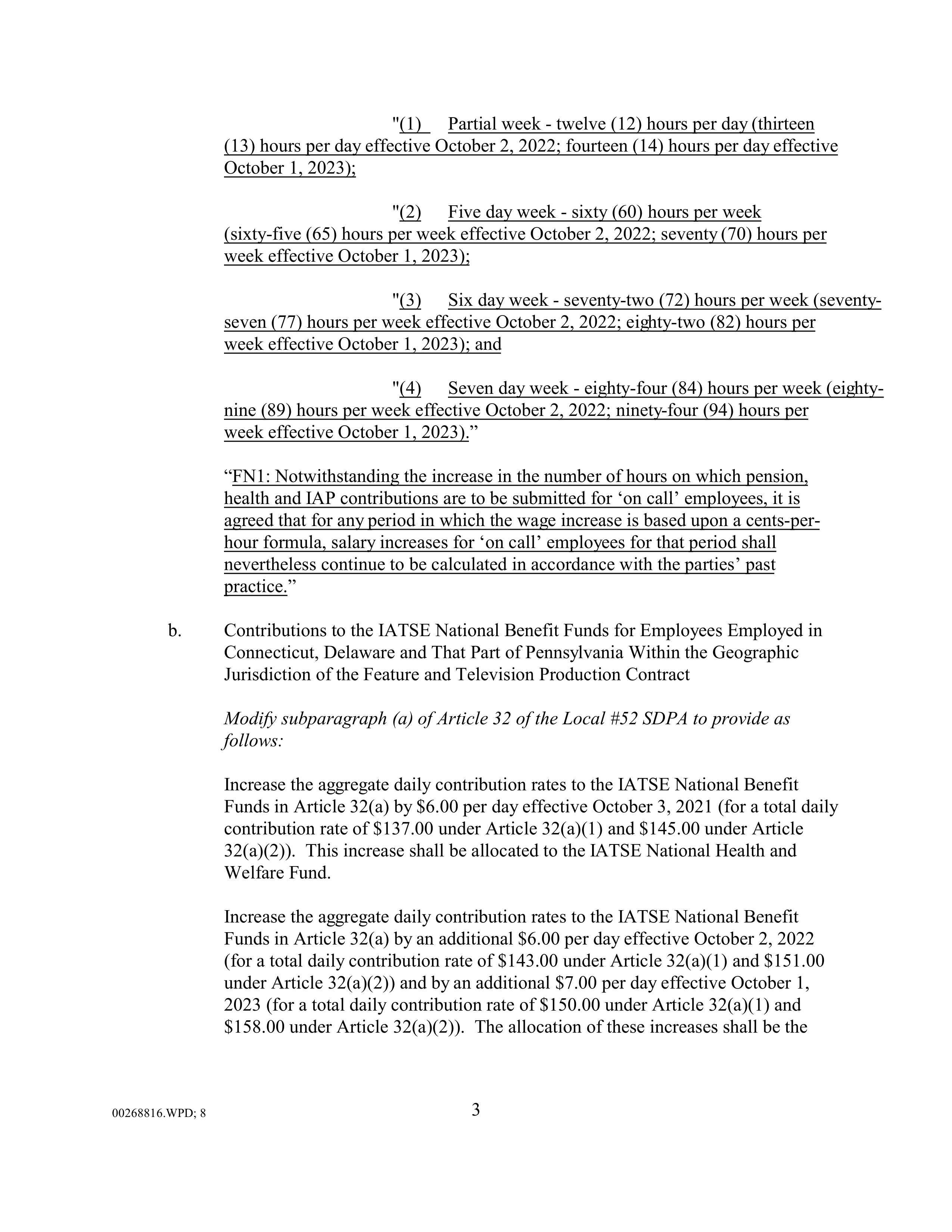
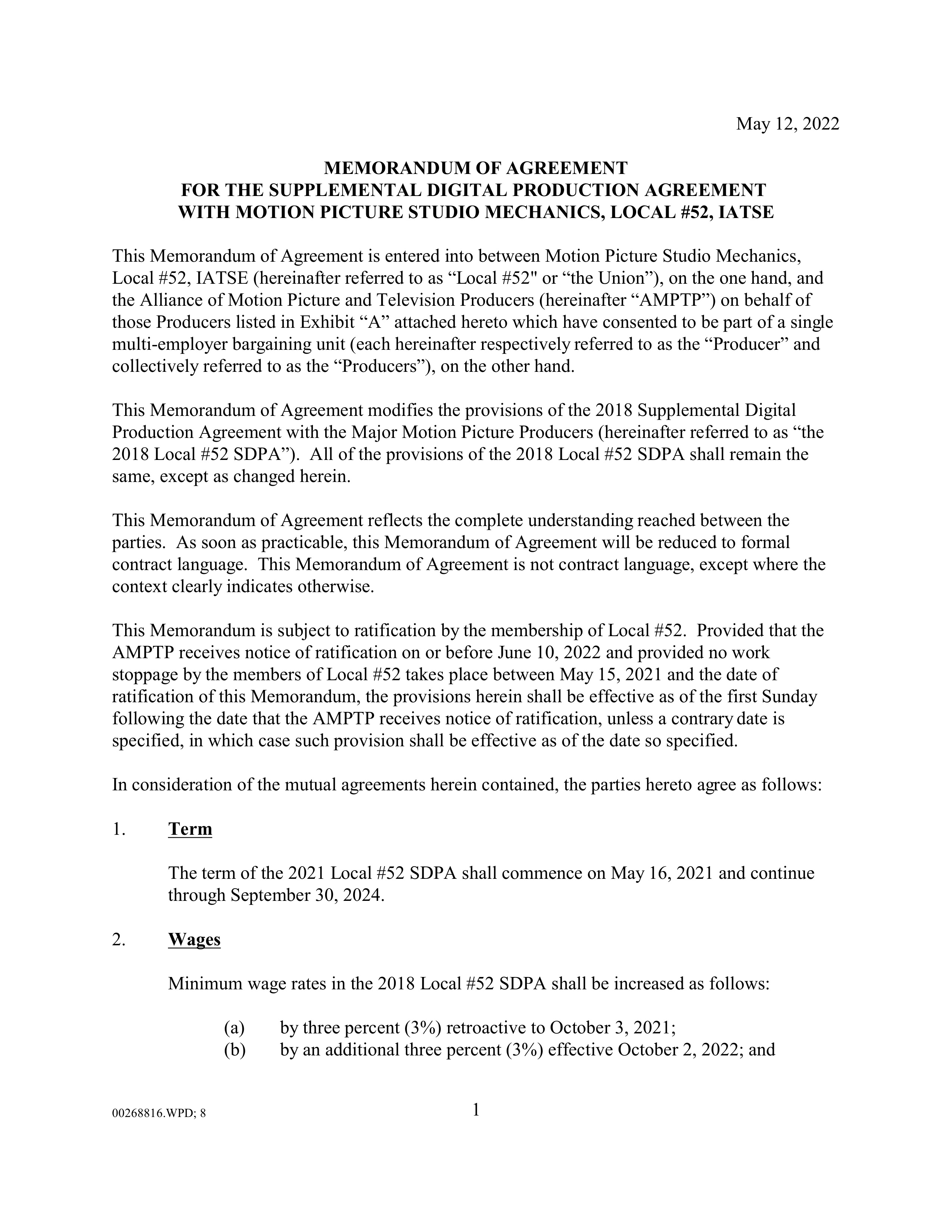
I have python code using OpenAI SDK which points to an S3 directory and reads the files in that directory. In this specific case, there are 26 image files.

gpt-4o will read the files successfully, only it will stop creating output at 4096 tokens.

The exact same code using gpt-4o-mini as the model times out:

		  File "/usr/local/lib/python3.11/site-packages/openai/_base_client.py", line 997, in _request
			raise APITimeoutError(request=request) from err
		openai.APITimeoutError: Request timed out.

Here is the specific code snippet:

def process_images_with_gpt4o(s3_bucket, s3_output_key, api_key):
    client = OpenAI(api_key=api_key)
    MODEL = "gpt-4o-mini"

    prompt = """
    You are a very professional image to text document extractor.
    Please extract the text from these images, treating them as pages of a PDF document. 
    A strikethrough is a horizontal line drawn through text, used to indicate the deletion of an error or the removal of text.  Ensure that all strikethrough text is excluded from the output. 
    Try to format any tables found in the images. 
    Do not include page numbers, page headers, or page footers.
    Please double-check to make sure that any words in all capitalized letters with strikethrough letters are excluded.
    Return only the extracted text.  No commentary.
    **Exclude Strikethrough:** Do not include any strikethrough words in the output. Even if the strikethrough words are in a title.
    **Include Tables:** Tables should be preserved in the extracted text.
    **Exclude Page Headers, Page Footers, and Page Numbers:** Eliminate these elements which are typically not part of the main content.
    """

    s3_client = boto3.client('s3')
    response = s3_client.list_objects_v2(Bucket=s3_bucket, Prefix=s3_output_key)

    messages = [
        {"role": "system", "content": "You are a helpful assistant that responds in Markdown."},
        {"role": "user", "content": [{"type": "text", "text": prompt}]}
    ]

    for obj in response.get('Contents', []):
        if obj['Key'].endswith('.jpg'):  # Ensure we're only processing jpg files
            url = f"https://s3.us-west-2.amazonaws.com/{s3_bucket}/{obj['Key']}"
            messages[1]["content"].append({"type": "image_url", "image_url": {"url": url}})

    response = client.chat.completions.create(
        model=MODEL,
        messages=messages,
        temperature=0.0,
    )

    return response.choices[0].message.content, response.usage

To be clear, the same exact code with the same exact images consistently works when the model = gpt-4o, but consistently times out when the model = gpt-4o-mini.

Extracted text has been written to: /mnt/temp/Local_52_Studio_Mechanics_SDPA_MOA.txt

Usage tokens:
Input tokens: 20126
Output tokens: 4096

This is the full error with tracebacks:

		Traceback (most recent call last):
		  File "/usr/local/lib/python3.11/site-packages/httpx/_transports/default.py", line 69, in map_httpcore_exceptions
			yield
		  File "/usr/local/lib/python3.11/site-packages/httpx/_transports/default.py", line 233, in handle_request
			resp = self._pool.handle_request(req)
				   ^^^^^^^^^^^^^^^^^^^^^^^^^^^^^^
		  File "/usr/local/lib/python3.11/site-packages/httpcore/_sync/connection_pool.py", line 216, in handle_request
			raise exc from None
		  File "/usr/local/lib/python3.11/site-packages/httpcore/_sync/connection_pool.py", line 196, in handle_request
			response = connection.handle_request(
					   ^^^^^^^^^^^^^^^^^^^^^^^^^^
		  File "/usr/local/lib/python3.11/site-packages/httpcore/_sync/connection.py", line 101, in handle_request
			return self._connection.handle_request(request)
				   ^^^^^^^^^^^^^^^^^^^^^^^^^^^^^^^^^^^^^^^^
		  File "/usr/local/lib/python3.11/site-packages/httpcore/_sync/http11.py", line 143, in handle_request
			raise exc
		  File "/usr/local/lib/python3.11/site-packages/httpcore/_sync/http11.py", line 113, in handle_request
			) = self._receive_response_headers(**kwargs)
				^^^^^^^^^^^^^^^^^^^^^^^^^^^^^^^^^^^^^^^^
		  File "/usr/local/lib/python3.11/site-packages/httpcore/_sync/http11.py", line 186, in _receive_response_headers
			event = self._receive_event(timeout=timeout)
					^^^^^^^^^^^^^^^^^^^^^^^^^^^^^^^^^^^^
		  File "/usr/local/lib/python3.11/site-packages/httpcore/_sync/http11.py", line 224, in _receive_event
			data = self._network_stream.read(
				   ^^^^^^^^^^^^^^^^^^^^^^^^^^
		  File "/usr/local/lib/python3.11/site-packages/httpcore/_backends/sync.py", line 124, in read
			with map_exceptions(exc_map):
		  File "/usr/local/lib/python3.11/contextlib.py", line 158, in __exit__
			self.gen.throw(typ, value, traceback)
		  File "/usr/local/lib/python3.11/site-packages/httpcore/_exceptions.py", line 14, in map_exceptions
			raise to_exc(exc) from exc
		httpcore.ReadTimeout: The read operation timed out

		The above exception was the direct cause of the following exception:

		Traceback (most recent call last):
		  File "/usr/local/lib/python3.11/site-packages/openai/_base_client.py", line 978, in _request
			response = self._client.send(
					   ^^^^^^^^^^^^^^^^^^
		  File "/usr/local/lib/python3.11/site-packages/httpx/_client.py", line 914, in send
			response = self._send_handling_auth(
					   ^^^^^^^^^^^^^^^^^^^^^^^^^
		  File "/usr/local/lib/python3.11/site-packages/httpx/_client.py", line 942, in _send_handling_auth
			response = self._send_handling_redirects(
					   ^^^^^^^^^^^^^^^^^^^^^^^^^^^^^^
		  File "/usr/local/lib/python3.11/site-packages/httpx/_client.py", line 979, in _send_handling_redirects
			response = self._send_single_request(request)
					   ^^^^^^^^^^^^^^^^^^^^^^^^^^^^^^^^^^
		  File "/usr/local/lib/python3.11/site-packages/httpx/_client.py", line 1015, in _send_single_request    response = transport.handle_request(request)
					   ^^^^^^^^^^^^^^^^^^^^^^^^^^^^^^^^^
		  File "/usr/local/lib/python3.11/site-packages/httpx/_transports/default.py", line 232, in handle_request
			with map_httpcore_exceptions():
		  File "/usr/local/lib/python3.11/contextlib.py", line 158, in __exit__
			self.gen.throw(typ, value, traceback)
		  File "/usr/local/lib/python3.11/site-packages/httpx/_transports/default.py", line 86, in map_httpcore_exceptions
			raise mapped_exc(message) from exc
		httpx.ReadTimeout: The read operation timed out

		The above exception was the direct cause of the following exception:

		Traceback (most recent call last):
		  File "/mnt/temp/gpt4oUploadImg02.py", line 93, in <module>
			response, usage = process_images_with_gpt4o(s3_bucket, full_s3_output_key, openai_api_key)
							  ^^^^^^^^^^^^^^^^^^^^^^^^^^^^^^^^^^^^^^^^^^^^^^^^^^^^^^^^^^^^^^^^^^^^^^^^
		  File "/mnt/temp/gpt4oUploadImg02.py", line 63, in process_images_with_gpt4o
			response = client.chat.completions.create(
					   ^^^^^^^^^^^^^^^^^^^^^^^^^^^^^^^
		  File "/usr/local/lib/python3.11/site-packages/openai/_utils/_utils.py", line 277, in wrapper
			return func(*args, **kwargs)
				   ^^^^^^^^^^^^^^^^^^^^^
		  File "/usr/local/lib/python3.11/site-packages/openai/resources/chat/completions.py", line 646, in create
			return self._post(
				   ^^^^^^^^^^^
		  File "/usr/local/lib/python3.11/site-packages/openai/_base_client.py", line 1266, in post
			return cast(ResponseT, self.request(cast_to, opts, stream=stream, stream_cls=stream_cls))
								   ^^^^^^^^^^^^^^^^^^^^^^^^^^^^^^^^^^^^^^^^^^^^^^^^^^^^^^^^^^^^^^^^^
		  File "/usr/local/lib/python3.11/site-packages/openai/_base_client.py", line 942, in request
			return self._request(
				   ^^^^^^^^^^^^^^
		  File "/usr/local/lib/python3.11/site-packages/openai/_base_client.py", line 987, in _request
			return self._retry_request(
				   ^^^^^^^^^^^^^^^^^^^^
		  File "/usr/local/lib/python3.11/site-packages/openai/_base_client.py", line 1079, in _retry_request    return self._request(
				   ^^^^^^^^^^^^^^
		  File "/usr/local/lib/python3.11/site-packages/openai/_base_client.py", line 1031, in _request
			return self._retry_request(
				   ^^^^^^^^^^^^^^^^^^^^
		  File "/usr/local/lib/python3.11/site-packages/openai/_base_client.py", line 1079, in _retry_request    return self._request(
				   ^^^^^^^^^^^^^^
		  File "/usr/local/lib/python3.11/site-packages/openai/_base_client.py", line 997, in _request
			raise APITimeoutError(request=request) from err
		openai.APITimeoutError: Request timed out.

Any explanations, ideas to resolve?
Hi @SomebodySysop,

The model gpt-4o has a max output token limit of 4096 tokens.

If the model output gets cut off with finish_reason: "length", simply add the incomplete assistant message to your messages list and make the call again.

Thanks for the response. But, how do I do this? Can you point me to some code example of this (in python)? I mean, I get the concept, but I’m not sure how to code this into a loop that will automatically make the next call if the response is incomplete.

Here’s an example based on the boilerplate code in the API reference:

from openai import OpenAI

client = OpenAI()

conversation = [
    {
        "role": "user",
        "content": [
            {"type": "text", "text": "What's in this image?"},
            {
                "type": "image_url",
                "image_url": {
                    "url": "https://upload.wikimedia.org/wikipedia/commons/thumb/d/dd/Gfp-wisconsin-madison-the-nature-boardwalk.jpg/2560px-Gfp-wisconsin-madison-the-nature-boardwalk.jpg",
                }
            },
        ],
    }
]

response = client.chat.completions.create(
    model="gpt-4o",
    messages=conversation,
    max_tokens=7,
)
answer = response.choices[0].message

continue_message = {"role": "user", "content": "continue"}

print("Partial answer:", answer.content)
if response.choices[0].finish_reason == "length":
    conversation.append(answer)
    conversation.append(continue_message)
    response = client.chat.completions.create(
        model="gpt-4o",
        messages=conversation,
        max_tokens=4096,
    )

print("Complete answer:", answer.content + " " + response.choices[0].message.content)

In this code, I have set the first call to cut off at 7 tokens. However, in your case, the first call will be the one that’s being cut off at 4096 tokens.

By default the request times-out after 10 mins (600s). Here’s how you can set your own timeout for requests.

In case you find the quality satisfactory on gpt-4o-mini, consider switching to it because it has max output limit of 16,384 tokens.

Thank you very much for this information. Extremely useful.

Any ideas why, on the same request with exact same prompt and image content, gpt-4o-mini times out when gpt-4o doesn’t?

At the moment, I’m not sure about the reasons, and there could be a variety of factors. This requires further testing before I can provide specific comments on the possible causes.

Feel free to share the code that I can run on my end to reproduce the error.

I appreciate that. The original code:

  1. grabs a PDF from local directory,
  2. converts each page to an image,
  3. stores each image in a folder (named after base name of PDF file) on the local directory,
  4. uploads that folder to an AWS bucket,
  5. then calls model to extract the text and store in a local text file with the same base name as the original PDF.

Here is modified code from original script. It simply reads the images from the existing AWS bucket folder, makes the model call, and stores the output to a local text file.

import os
import sys
import boto3
from openai import OpenAI

def process_images_with_gpt4o(s3_bucket, s3_output_key, api_key, model, num_pages):
    client = OpenAI(api_key=api_key)

    prompt = """
    You are a very professional image to text document extractor.
    Please extract the text from these images, treating them as pages of a PDF document. 
    A strikethrough is a horizontal line drawn through text, used to indicate the deletion of an error or the removal of text.  Ensure that all strikethrough text is excluded from the output. 
    Try to format any tables found in the images. 
    Do not include page numbers, page headers, or page footers.
    Please double-check to make sure that any words in all capitalized letters with strikethrough letters are excluded.
    Return only the extracted text.  No commentary.
    **Exclude Strikethrough:** Do not include any strikethrough words in the output. Even if the strikethrough words are in a title.
    **Include Tables:** Tables should be preserved in the extracted text.
    **Exclude Page Headers, Page Footers, and Page Numbers:** Eliminate these elements which are typically not part of the main content.
    """

    messages = [
        {"role": "system", "content": "You are a helpful assistant that responds in Markdown."},
        {"role": "user", "content": [{"type": "text", "text": prompt}]}
    ]

    base_url = f"https://s3.us-west-2.amazonaws.com/{s3_bucket}/{s3_output_key}"
    
    for page_num in range(1, num_pages + 1):
        url = f"{base_url}/page_{page_num}.jpg"
        messages[1]["content"].append({"type": "image_url", "image_url": {"url": url}})

    response = client.chat.completions.create(
        model=model,
        messages=messages,
        temperature=0.0,
    )

    return response.choices[0].message.content, response.usage

if __name__ == "__main__":
    if len(sys.argv) != 8:
        print("Usage: python script.py <pdf_path> <output_folder> <s3_bucket> <s3_output_key> <openai_api_key> <model> <num_pages>")
        sys.exit(1)

    pdf_path = sys.argv[1]
    output_folder = sys.argv[2]
    s3_bucket = sys.argv[3]
    s3_output_key = sys.argv[4]
    openai_api_key = sys.argv[5]
    model = sys.argv[6]
    num_pages = int(sys.argv[7])

    # Construct the full s3_output_key including the folder name
    folder_name = os.path.basename(output_folder)
    full_s3_output_key = f"{s3_output_key.rstrip('/')}/{folder_name}"

    # Process images with GPT-4O
    response, usage = process_images_with_gpt4o(s3_bucket, full_s3_output_key, openai_api_key, model, num_pages)

    # Write the response to a text file
    output_text_file = os.path.splitext(pdf_path)[0] + '.txt'
    with open(output_text_file, 'w', encoding='utf-8') as f:
        f.write(response)

    # Print the response
    print(f"Extracted text has been written to: {output_text_file}")

    # Print the usage tokens
    print("\nUsage tokens:")
    print(f"Input tokens: {usage.prompt_tokens}")
    print(f"Output tokens: {usage.completion_tokens}")

It is called like this:

python gpt4oUploadImg03_test.py <pdf_path> <output_folder> <s3_bucket> <s3_output_key> <openai_api_key> <num_pages>

This is the original PDF file (26 pages): https://s3.us-west-2.amazonaws.com/docs.scbbs.com/docs/test/Local_52_Studio_Mechanics_SDPA_MOA.pdf
This is the directory that contains the 26 images (already uploaded): https://s3.us-west-2.amazonaws.com/docs.scbbs.com/docs/test/Local_52_Studio_Mechanics_SDPA_MOA/

I do not know how to give anonymous users list access to this directory, but the individual .jpg files are listed like this:

For Testing:

python gpt4oUploadImg03_test.py <pdf_path> <output_folder> <s3_bucket> <s3_output_key> <openai_api_key> <model> <num_pages>

gpt-40
python gpt4oUploadImg03_test.py /mnt/temp/Local_52_Studio_Mechanics_SDPA_MOA.pdf /mnt/temp/Local_52_Studio_Mechanics_SDPA_MOA docs.scbbs.com docs/test/ <your openai api-key> gpt-4o 26

gpt-4o-mini
python gpt4oUploadImg03_test.py /mnt/temp/Local_52_Studio_Mechanics_SDPA_MOA.pdf /mnt/temp/Local_52_Studio_Mechanics_SDPA_MOA docs.scbbs.com docs/test/ <your openai api-key> gpt-4o-mini 26

/mnt/temp is the name of the local directory. You can use whatever local directory you want – just keep everything else the same and it should work.

The problem is that when I use the gpt-4o model, it exits under control and returns output up to the 4096 limit. When I use the gpt-4o-mini model, it times out. When I extend the timeout to 20 minutes, I get this error:

		Local_52_Studio_Mechanics_SDPA_MOA
		Traceback (most recent call last):
		  File "/mnt/temp/gpt4oUploadImg02.py", line 97, in <module>
			response, usage = process_images_with_gpt4o(s3_bucket, full_s3_output_key, openai_api_key)
							  ^^^^^^^^^^^^^^^^^^^^^^^^^^^^^^^^^^^^^^^^^^^^^^^^^^^^^^^^^^^^^^^^^^^^^^^^
		  File "/mnt/temp/gpt4oUploadImg02.py", line 67, in process_images_with_gpt4o
			response = client.chat.completions.create(
					   ^^^^^^^^^^^^^^^^^^^^^^^^^^^^^^^
		  File "/usr/local/lib/python3.11/site-packages/openai/_utils/_utils.py", line 277, in wrapper
			return func(*args, **kwargs)
				   ^^^^^^^^^^^^^^^^^^^^^
		  File "/usr/local/lib/python3.11/site-packages/openai/resources/chat/completions.py", line 646, in create
			return self._post(
				   ^^^^^^^^^^^
		  File "/usr/local/lib/python3.11/site-packages/openai/_base_client.py", line 1266, in post
			return cast(ResponseT, self.request(cast_to, opts, stream=stream, stream_cls=stream_cls))
								   ^^^^^^^^^^^^^^^^^^^^^^^^^^^^^^^^^^^^^^^^^^^^^^^^^^^^^^^^^^^^^^^^^
		  File "/usr/local/lib/python3.11/site-packages/openai/_base_client.py", line 942, in request
			return self._request(
				   ^^^^^^^^^^^^^^
		  File "/usr/local/lib/python3.11/site-packages/openai/_base_client.py", line 1031, in _request
			return self._retry_request(
				   ^^^^^^^^^^^^^^^^^^^^
		  File "/usr/local/lib/python3.11/site-packages/openai/_base_client.py", line 1079, in _retry_request    return self._request(
				   ^^^^^^^^^^^^^^
		  File "/usr/local/lib/python3.11/site-packages/openai/_base_client.py", line 1031, in _request
			return self._retry_request(
				   ^^^^^^^^^^^^^^^^^^^^
		  File "/usr/local/lib/python3.11/site-packages/openai/_base_client.py", line 1079, in _retry_request    return self._request(
				   ^^^^^^^^^^^^^^
		  File "/usr/local/lib/python3.11/site-packages/openai/_base_client.py", line 1046, in _request
			raise self._make_status_error_from_response(err.response) from None
		openai.InternalServerError: Error code: 500 - {'error': {'message': 'Timed out generating response. Please try again with a shorter prompt or with `max_tokens` set to a lower value.', 'type': 'internal_error', 'param': None, 'code': 'request_timeout'}}

So, I’m basically trying to figure out why it works with gpt-4o, but not with gpt-4o-mini.

Just as a follow-up, I followed your guidance and code sample and came up with this:

def process_images_with_gpt4o(s3_bucket, s3_output_key, api_key, model):
	client = OpenAI(api_key=api_key)

	prompt = """
	You are a very professional image to text document extractor.
	Please extract the text from these images, treating them as pages of a PDF document. 
	A strikethrough is a horizontal line drawn through text, used to indicate the deletion of an error or the removal of text.  Ensure that all strikethrough text is excluded from the output. 
	Try to format any tables found in the images. 
	Do not include page numbers, page headers, or page footers.
	Please double-check to make sure that any words in all capitalized letters with strikethrough letters are excluded.
	Return only the extracted text.  No commentary.
	**Exclude Strikethrough:** Do not include any strikethrough words in the output. Even if the strikethrough words are in a title.
	**Include Tables:** Tables should be preserved in the extracted text.
	**Exclude Page Headers, Page Footers, and Page Numbers:** Eliminate these elements which are typically not part of the main content.
	"""

	s3_client = boto3.client('s3')
	response = s3_client.list_objects_v2(Bucket=s3_bucket, Prefix=s3_output_key)

	messages = [
		{"role": "system", "content": "You are a helpful assistant that responds in Markdown."},
		{"role": "user", "content": [{"type": "text", "text": prompt}]}
	]

	for obj in response.get('Contents', []):
		if obj['Key'].endswith('.jpg'):  # Ensure we're only processing jpg files
			url = f"https://s3.us-west-2.amazonaws.com/{s3_bucket}/{obj['Key']}"
			messages[1]["content"].append({"type": "image_url", "image_url": {"url": url}})

	full_response = ""
	total_prompt_tokens = 0
	total_completion_tokens = 0
	finish_reason = None

	while True:
		response = client.chat.completions.create(
			model=model,
			messages=messages,
			temperature=0.0,
		)
		
		answer = response.choices[0].message.content
		
		print(f"First 100 characters of current response: {answer[:100].strip()}")
		print(f"Last 100 characters of current response: {answer[-100:].strip()}")
		
		full_response += answer
		
		# Accumulate token usage
		total_prompt_tokens += response.usage.prompt_tokens
		total_completion_tokens += response.usage.completion_tokens
		
		finish_reason = response.choices[0].finish_reason
		
		if finish_reason != "length":
			break
		
		# If truncated, add the partial response and continue message
		print("Response truncated. Continuing the model call...")
		messages.append({"role": "assistant", "content": answer})
		messages.append({"role": "user", "content": f"Continue extracting text from the document. The last extracted text was: '{answer[-100:]}'. Please start from the next text section."})

	return full_response, total_prompt_tokens, total_completion_tokens, finish_reason

It took a bit of doing as it is extracting text rather than providing answers, but so far it appears to be working.

So, for processing the 26 page PDF https://s3.us-west-2.amazonaws.com/docs.scbbs.com/docs/test/Local_52_Studio_Mechanics_SDPA_MOA.pdf

Instead of this partial output:

Usage tokens:
Input tokens: 20126
Output tokens: 4096
Finish Reason: length

I am now getting this with the full extraction:

Usage tokens:
Input tokens: 105498
Output tokens: 16258
Finish Reason: stop

Thank you @sps for this brilliant insight!