There is no settings link anywhere. Why?
I have to literally search for settings.
And now I have to fill some more chars to post this…
There is no settings link anywhere. Why?
I have to literally search for settings.
And now I have to fill some more chars to post this…
You do not discover a little gear?
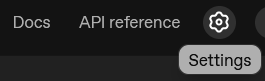
There is no actual …/settings destination; that path will result in a redirect to your organization.

Well, I don’t see that.
It seems for your account and organization, you have not gone through the onboarding process yet.
It is a walk-through that will have you enter your information for billing, create an organization name and project and first API key (which you must record from that screen) and prompt you to pay for prepurchase of credits.
You can report if you can skip the initial payment of credits and get some free use of ‘mini’ models like gpt-4.1-mini (whatever model the suggestion of how to make an API call shows), as this is alleged to be offered, but I’ve seen nobody yet offer solid proof, “Yes, I could use the chat playground and test some models without getting a ‘429 check your billing’ error.”
I am tier 3. I have set up the billing a long time ago.
Oh, damn… I just realized.. What a UX/UI screwup.
Thanks… had to click start building and go through it, although I had set up everything, including projects and API key a long time ago.
Then if you are getting offered that “start building” button, you might have picked the wrong organization at the upper-left selector. There are accounts that have two that were created for them (one being ‘personal’), or you could be invited as a member to more.
If you’re on the right org with a project you created, I guess just whack the button 'start building" to go thru.
Have figured it out. It was just the onbaording not realizing that I alrady onboarded by myself. lol. THANKS!