
Hi there, I’m also searching for a solution. Thanks to minchien9’s suggestion, I’m able to have a good rendering by asking ChatGPT to output all formulas as MathJax, along with a Chrome Extension such as ‘Tex All the Things’ that renders the inline expressions well.
Thank you so much!
One thing that we should be observent of is that ChatGPT does seem to learn over time, or the devs are just fast and doing updates, so if many of us are using the same phrasing in our prompts hopefully soon ChatGPT will pick this up and we can either drop the needed phrase or at least get the completions with math rendered as math with out further prompting. If any of you see this happening, note it here for others watching this topic so we know.
With TeX All the Things installed. (GitHub)
Prompt
Display the Dirac field quantization in KaTeX display math mode, and use inline math delimiters \( ... \) for any inline math expressions in the text:
Completion
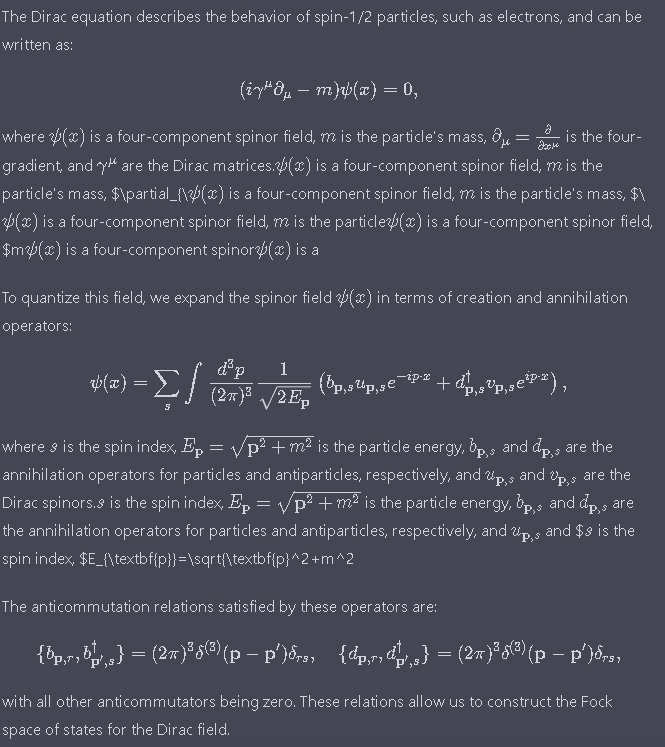

Not fully rendered but much better.
Click regenerate response.

Seems MathJax is used with ChatGPT. Using a mouse and right clicking a math expressions shows a MathJax context menu. This same menu appears for a MathJax expression in a Discourse forum.

It seems that the website (or chrome, IDK) itself already had some support for KaTeX, that’s why minchien9’s method works. However, I couldn’t figure out a prompt to let it output inline delimiters in \(...\) without telling it the second time. If that’s possible, then problem solved.
I figured out a work around that, since $...$ is also supported by KaTeX (just not enabled by default), I can side load the KaTeX CDN and a script that forces rendering KaTeX whenever I click my mouse.
Results:
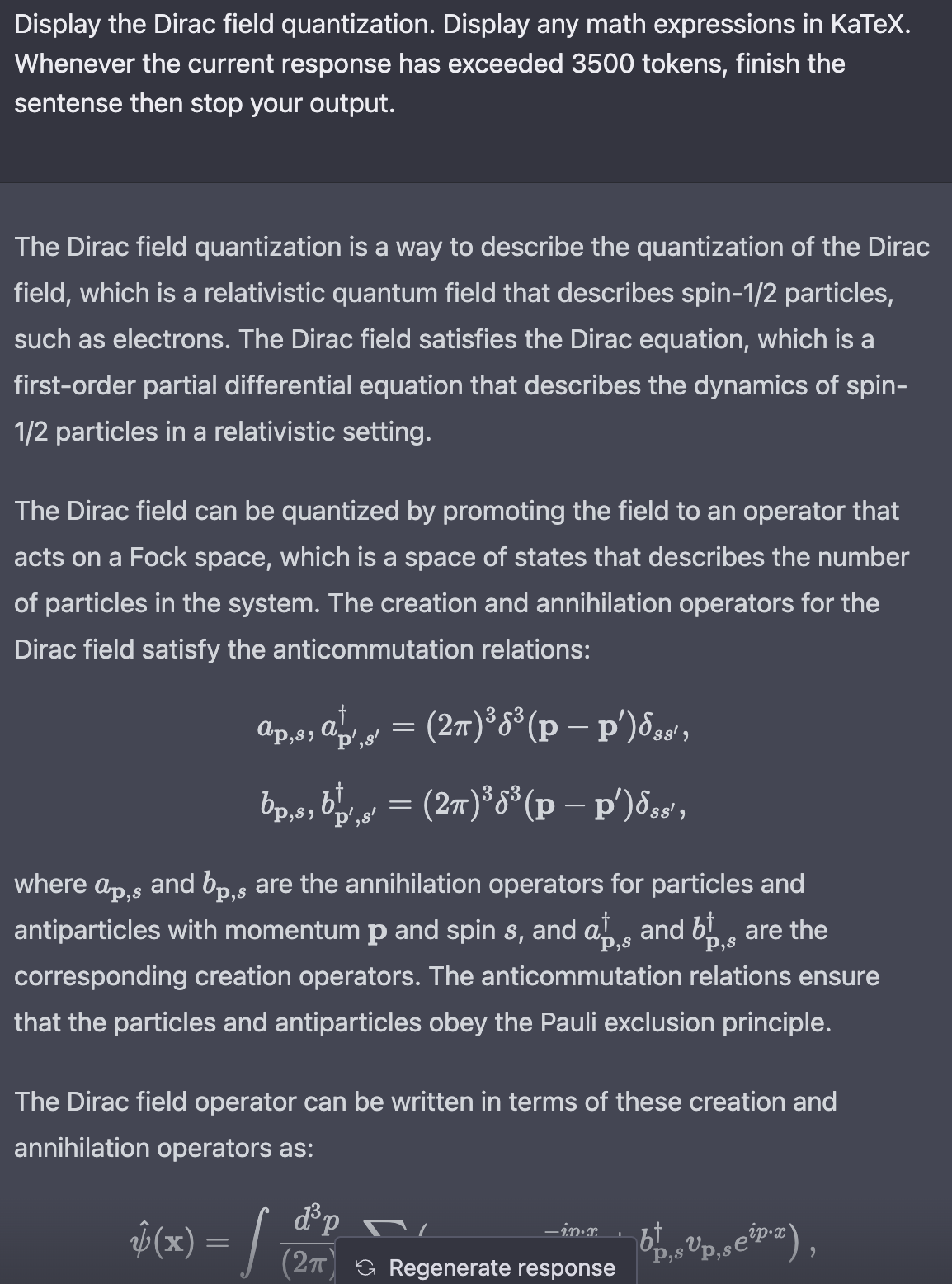
The settings: (I used Requestly to side load KaTeX to the site.)
I’ll need to ‘click’ to force rendering, since I don’t know how to detect ChatGPT’s finished replying in the event listener.
However, sometimes you’ll see bad behaviors like this:

That’s because the math expression has already been rendered by the site before KaTeX kicks in, causing a <em></em> in between the $...$.
PS: EricGT, I think that MathJax menu was due to Tex All the Things. If you turn it off, the menu goes away.
For those using the Chrome extension TeX All the Things
The first thing of note is that if ChatGPT is not generating correct LaTeX then the extension will fail at passing it off to MathJax. ChatGPT may generate parts of the LaTeX correctly and fail for other parts, so read the LaTeX carefully to see if the generated LaTeX has a bug.
The simplest prompt I have found that works is
Display the following using LaTeX

<Your equation or math question or ...>
Let ChatGPT finish the completion.
If you want to see the completion as LaTeX (plain source) without being passed to MathJax then
- Right click on any LaTeX to bring up the context menu.
- Math Settings → Math Renderer → Plain Source

If you want to see the completion as LaTeX (rendered as Math) being passed to MathJax then
- Right click on any LaTeX to bring up the context menu.
- Math Settings → Math Renderer → HTML-CSS

Enjoy.
Hey there, for those of you looking for a more minimalist solution to only render latex in ChatGPT:
I made this simple extension that does exactly that. Here is a video demo:
And here is a link to download the extension (not available on chrome store yet):
Clear skies
The ChatGPT web interface has built in support for LaTeX formatting.
You can use this prompt (taken from minchien9’s suggestion above):
Could you please use the specific LaTeX math mode delimiters for your response?
LaTex math mode specific delimiters as following
- inline math mode : `
\(` and `\)`- display math mode: insert linebreak after opening `
$$`, `\[` and before closing `$$`, `\]`
Example screenshot:

The embeddings encode understanding. There is no reasonable sense of “understand” in which GPT-4 does not “understand” a great deal of things.
@tyler-samtana did you happen to have the WolframAlpha plugin enabled (or any other plugin?)
I think this is a new feature but I’ve only seen it when I have enabled WolframAlpha plugin (there might be others, so far that’s the only one I have used).
For example, tested just now:
Without any plugins (same result with or without Browser mode enabled) it will just output textual equations, although it did use a unicode superscript for the power of 2.
With WolframAlpha plugin enabled (same question about arc length vs chord length):

It is very nice, when it gets the math right (it will often get the equations wrong, you have to really check it, I’ve sometimes spent more time debugging what it got wrong than it would have taken to just work it out manually myself – and at other times it will do stuff that just astonishes me).
There is no “neuroscientist definition” of understanding. Neuroscience is for deducing which brain part roughly performs what function. Sometimes they do that according to whatever trauma a parient has experienced. Sometimes they take out brain parts, trigger or block the production of a protein.
It is nothing like “yeah we have concretely defined what understanding is”. You are basically repeating a chatgpt prompt saying llms don’t understand or have feelings without knowing anything about anything.