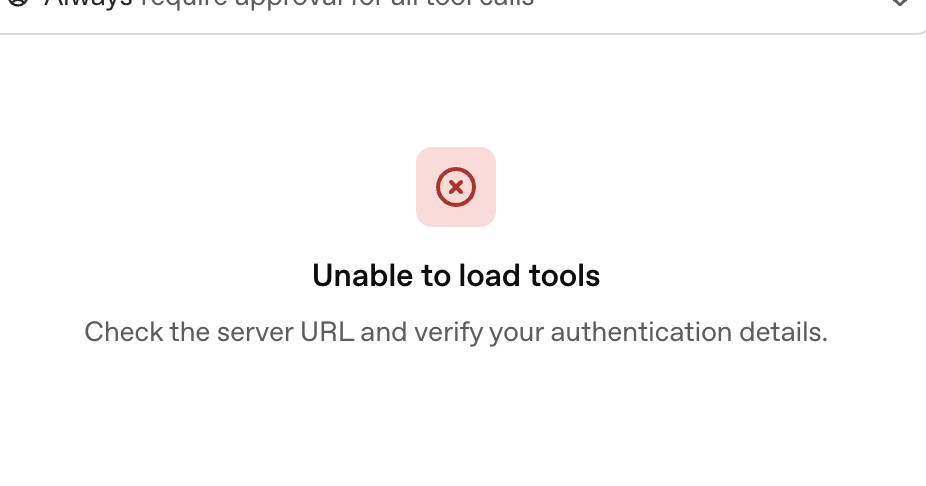
So when I try to make connection with MCP server I get
”**We experienced an error while running the workflow. Sorry about that! You can retry your request, or contact us through our help center at help.openai.com if you keep seeing this error. (Please include the request ID 56e54e68-4624-4c90-b1e2-318c78321784 in your message.)”
**
After that I try to use connectors and I get same issue.
I am getting an issue like this with my custom GPT connections. They were working just fine before but now cannot even hit the health endpoint on my API.
Yeah I’m getting the same with our hosted MCP server.
Sadly there is no further debug information or insights where / how / why the agent failed with a simple task.
I used the example “structured data querying” workflow and adjusted it by adding our MCP and changing prompts etc.
I’m running into the same issue when using an MCP server tool inside an agent node. I’ve also tried running a standalone MCP server node, but the preview freezes there too — no error message or explanation.
Not sure if it’s connected, but I noticed on status.openai.com that ChatGPT connectors are currently showing partial outages. Could be related.
Also running into this same issue. Can occassionally get certain MCP servers to work on first run, however after refreshing page seems to be unable to fetch available tools for any given MCP tool and shows the API token I previously entered as ‘REDACTED’ … if I delete the node and re-add credentials to connect to remote server, it works again (most of the time) on first run.
I have hosted a hello world category FastMCP server, i was able to add it to a MCP Node as remote server but it seems when the agent works through the node its not able to get a response back.
When i put the MCP server into the agent by adding a tool i am getting “We experienced an error while running the workflow.”
Was anyone was able to add a remote mcp server to a MCP node or to Agent node successfully ?
if so Any details on what kind of Mcp server ? http sse , http streaming, stdio ?
This was super helpful. On the MCP server side, the temporary workaround is to wrap the auth token in double quotes like this:
auth_token = '"temp_auth_token"'
Since initialization is forcing quotes, this allows the MCP tools to load properly.
Once initialization is complete, go back to the MCP server and change it to:
auth_token = 'temp_auth_token'
so it works correctly at runtime — the runtime chat preview isn’t using wrapping quotes (“ ”).
For context, I’m using the Access Token / API Key dropdown option (which, confusingly, is labeled API Key / Auth Token in the modal — the labels swap order and wording depending on the context). I’m not using custom headers.
OpenAI — please fix this bug!
The initialization step shouldn’t require wrapping the auth/access token in extra quotes for MCP initialization and tool loading to work.
Good find and callout. I can replicate this behaviouras well Initialization is fine. When i set the key to never and no auth it goes to a point where for tool call it is explicitly asking for approval and fails there.
The bug has been resolved! I removed the MCP tool and added it back — voilà, it’s working.
Note: Simply updating the auth/access token in the existing tool didn’t work. When previewing in chat, it didn’t recognize the connection and ignored the tool. Removing and re-adding the tool completely fixed the issue.
When connecting ChatGPT’s Agent Builder to an external MCP server (for example, the n8n MCP Server Trigger), the agent never appears to send the required initialize JSON-RPC call to begin the MCP session.
This means the server never issues an Mcp-Session-Id, and subsequent RPC calls such as tools/list fail or time out.
If you manually initialize the session first (for example, with curl or Postman), the MCP server works perfectly.
Hello, I hope that you are doing well. I just tried to connect my apps/mcp this morning and none of them can connect. Do you have the same problems on the opening status? Nothing speak about a new bug.
Same here, all of a sudden my ChatGPT app is no longer responding - I am also no longer able to add it, it just loads for a while and goes back to the apps/connectors list screen and nothing happened. No error message or anything.
Same for us. We have MCP server that was working fine during development and after deployed to production, but soon after that issues started to happen. ChatGPT using MCP server often receives some 4xx HTTP errors. Even through OpenAI playground we are getting errors regularly, although request is working sometimes, but rarely. Our MCP server is working fine when used through Cursor editor, suggesting that issue is on OpenAI side.
I ran into the same issue with OpenAI Agent Builder MCP integration.
I successfully connected my MCP server, and everything was working fine. After a few days, without changing anything on my side, the tools stopped loading. The Agent Builder MCP node showed:
“Unable to load tools. Check the server URL and verify your authentication details.”


 OpenAI — please fix this bug!