I tried to use MCP tools on agent builder but cannot retrieved anything. When i look on network log, its error 400 on versions api with these response:
{ “error”: { “message”: “The config.allowed_tools list is empty for the standalone MCP tool node.”, “type”: “invalid_request_error”, “param”: “config.allowed_tools”, “code”: null } }
Issue Summary
When creating a new workflow in Agent Builder and adding an MCP task, the “Add Connector” dialog never loads (infinite spinner). As a result, the MCP node has no tools configured and the workflow fails to save with an error.
Steps to Reproduce
Open Agent Builder → Workflows.
Create a new workflow.
Add an MCP task node (e.g. “Invoke a Model Context Protocol Tool”).
Click “Add” on the MCP node to open “Add Connector”.
Observe: the “Add Connector” dialog shows a spinner forever and never lists any connectors or servers.
Try to open “Workflow settings” or save the workflow.
Expected Behavior
“Add Connector” should load available MCP connectors/servers.
After selecting a connector, the MCP node should have at least one allowed tool, and the workflow should be created/saved successfully.
Actual Behavior
“Add Connector” dialog never finishes loading (spinner only).
No connectors are shown, so no tools can be selected.
When opening Workflow settings or saving, Agent Builder shows:
Failed to create workflow: The 'config.allowed_tools' list is empty for the standalone MCP tool node.
Additional Details
Reproduced in multiple browsers (Chrome, plus 2 others) and with cleared cache/cookies.
Happens both for custom MCP and for built-in connectors (Google Drive, Booking, etc.) — the dialog never loads for any of them.
I am using ChatGPT with Agent Builder (GPT+ subscription), not the standalone API key in this UI.
The issue appears identical to:
“Agent Builder – When adding a MCP Server tool, UI just spins”
“The config.allowed_tools list is empty for the standalone MCP tool node”
Attachments
Screenshot of the error:
toast and workflow settings with the message: Failed to create workflow: The 'config.allowed_tools' list is empty for the standalone MCP tool node.

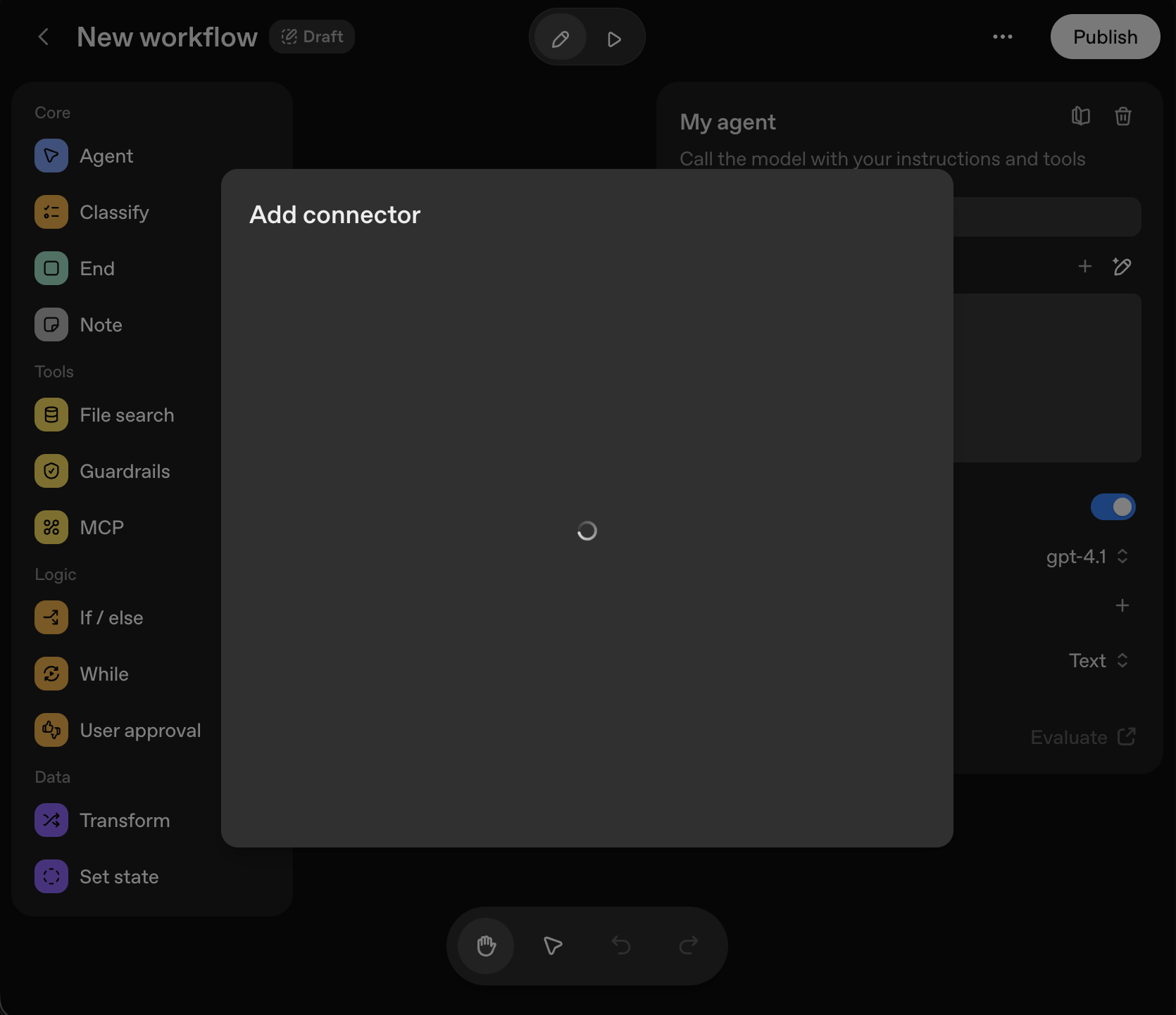

 unable to load the connectors