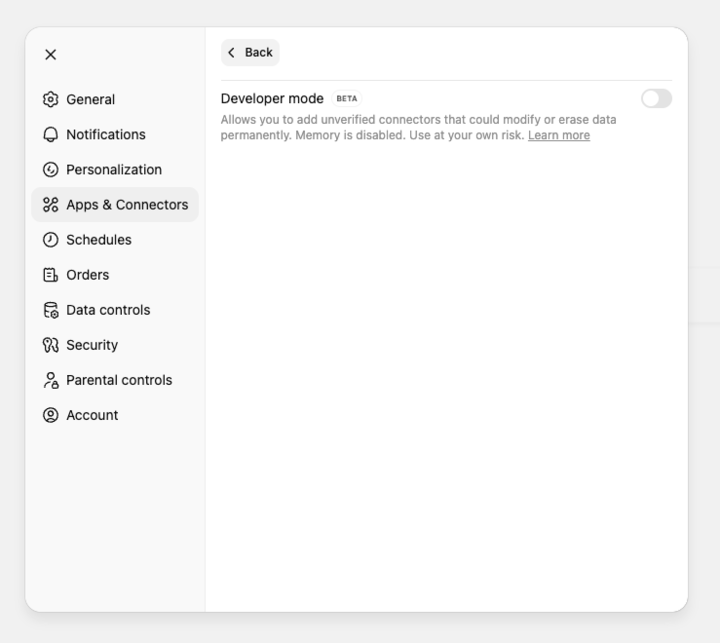
With all the current changes that seem to be happening on a daily basis, my custom MCP connector now shows all my tools, with the exception of the Deep Research search and fetch, as being unavailable.
It shows the actions in the list, but they’re all greyed out.
Same here, also, clicking plus button on developer mode, doesn’t show anymore the list of connected sources to interact with our custom MCP…
Wondering if they are now settling to only supporting their “Deep Search” protocol (search/fetch) and only using connectors now from Deep Search prompts…
ChatGPT Plus just killed custom MCP server connections in developer mode today - literally the only thing I found useful. And honestly, for something calling itself ‘intelligent,’ the UI and config options are surprisingly terrible.
Experiencing the same thing. We made no changes, yet all the tools appear greyed out for our MCP and Developer Mode is no longer an available option for new chats either, even though we have the Plus package and Developer mode is otherwise turned on.
Hey everyone! As @Quim noted (thank you), MCP connectors for Pro users now require you to be in Developer mode in order to work. We’re in the process of updating documentation now.
is developer mode only for pro users now? I have it enabled for plus, testing my companies MCP server on it, and as previously mentioned, all tools disabled. is a fix coming for this? or we are no longer able to use custom MCP’s?
Hi everyone, just wanted to add my experience here as I’m having the same issue. I was wanting to experiment with the new App SDK and a custom MCP on my Plus account.
At first, all my custom tools were greyed out in the connector settings, just like the first screenshot in this thread showed. When I tried to use them, chat would try to call api_tool list_resources with path ‘‘ and it would return finite:true and say nothing was found.
After finding this thread, I tried renaming my tools to exactly search and fetch. That worked in making them colored in the ui.
But nonetheless, the result was still the same. Same attempt at function calling list_resources and same response that no tools were found. I tried tested my MCP with MCP inspecter and it seemed to work right both times.
Will plus users be able to in developer mode develop more advanced App SDKs than the older DeepResearch format?
My MCP server works in the playground, claude, and MCP inspector, but not ChatGPT, so this looks like a bug. Seeing the same grayed out and no tools in developer mode.
Experiencing this as well. The only tools that were available for me were the Deep Research search and fetch tools. All the others have the “write” annotation and are unavailable. Seems like a regression with the Apps SDK launch. Hoping for a fix soon so I can do something with the App SDK
My boss is angry with me because he doesn’t believe there’s an issue with OpenAI. When do you anticipate this issue will be resolved, @OpenAI team? Or at least, should we have an official announcement about this?
But tools disabled / grayed out issue still persists.
Request to Open AI team to inspect issue from their back-end and resolve this, as the same tools are working perfectly in Claude AI. It will be nice to have custom MCP support in ChatGPT too, being preferred choice of end-users.
Same here as a Plus user, Search and Fetch are highlighted (but don’t work with Deep Research) and all other tools are greyed. If I connect unauthenticated I get ‘Connector is Unsafe’