I may be leaving ChatGPT soon for the simple reason that you do not have a native Mac interface for non-silicon based Macs. I have a 2020 iMac with an Intel chip. I have no plans to upgrade any time soon – there is simply no reason to. My Mac is very fast. However, the ChatGPT interface in a web browser is a terrible experience. Especially in long conversations – the window will bog down and move very very slowly. Text will appear slowly. It will behave sluggishly. I’ve tried multiple web browsers. This is not a problem using a ChatGPT on the native app on a silicone based Mac. I’ve tried this. I have been using Claude’s native intel-based Mac app and it’s great. I have never experience sluggishness in the interface. I can’t believe you guys can’t put out an official version that works on older computers. I’m reaching a point where it doesn’t make sense to continue my subscription if this is not released. The limitation of the sluggish window is a problem, and starting a new chat with a complex complication is cumbersome since certain memory-related functions do not always carry over.
Anyhow, this is my plea to reconsider and release an intel-based Mac app. There are many many users on Intel Macs, and this will persist for some time.
I have a feature idea that I’d really like to suggest. It’s simple but would be very useful for students.
It would be great to have an option to group or organize charts. As a student, I often create many charts for the same subject during research and learning. Over time, the chat panel becomes messy, and it becomes hard to find a specific chart that contained important or useful information.
Having a way to group charts by subject, topic, or custom folders/tags would make it much easier to revisit, compare, and reuse them efficiently.
Feature request: “Canvas-only Menu Bar mode” (Google Keep–style quick notes)
I’d love an option to show only “Canvas” in the app’s top bar / sidebar area, so I can open a compact Canvas panel instantly (similar to Google Keep). The idea is to reduce UI clutter and make Canvas behave like a lightweight, always-available note space.
Key behaviors:
A “Canvas-only mode” toggle (hides other sidebar items, shows only Canvas)
One-click open/close (or keyboard shortcut) to bring up Canvas quickly
Optional small floating/pinned Canvas window (picture-in-picture style)
Fast search and recent canvases list in the compact view
Works across devices and syncs normally
This would make Canvas feel like a true quick-capture tool for ideas, study notes, and drafts.
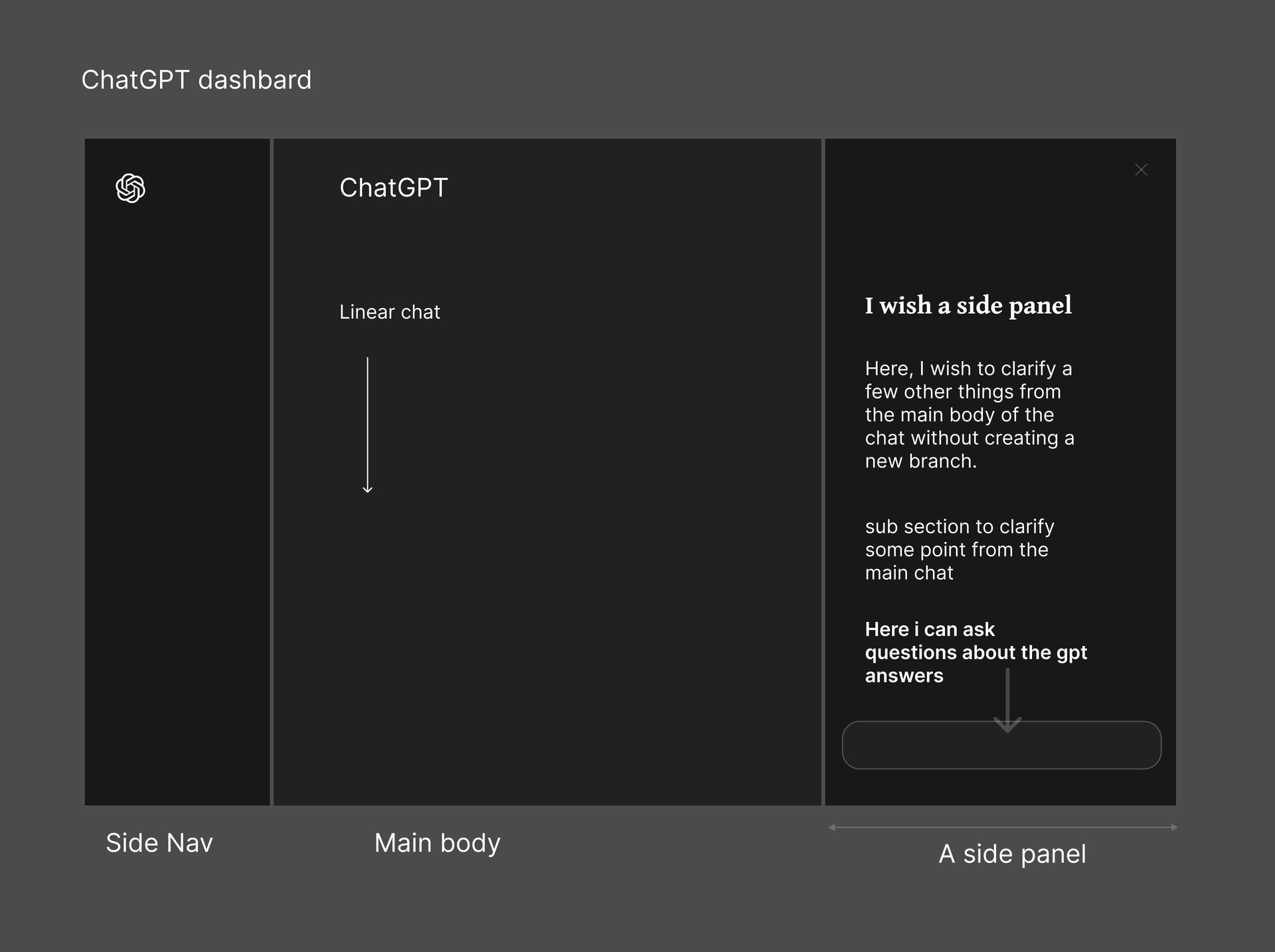
I also wish for such a feature. I think there should be a side panel for clarifying main chat answers. This could help explain the answers that ChatGPT provides more easily. ( A side assistance)
Could be a system where chatgpt gives you an answer that is 10 paragraphs long, you have a question about paragraph 4, gpt answers with 5 paragraphs, after reading the 5 paragraphs it would be cool if there were an option that can take you back to question 1 paragraph 4, it becomes more complicated when you go deeper into conversation e.g. you ask a follow up question to question 2 paragraph 3 etc but could create a tree, like folders in finder, would save on resources due to potential to lower repeat requests due to people not finding previous chats.
Or an alternate system could be when chatgpt gives an answer in paragraphs each paragraph has a deeper dive button attached so that after diving deeper into that specific mandlebrot no matter how far you take it when you zoom back out you have an un-congested initial conversation. That way if you ever need to dive into any of those mandlebrots again its easier to remember the path.
Feature suggestion: Pin message in chat
I often receive one long response that I’m working through step-by-step. I refine one paragraph or point at a time by asking follow-up questions, then move on to the next point in the same original message. As the conversation grows, that original response moves far up the chat, and I have to scroll a long way back each time just to reference the next section.
A “Pin message” option would let me pin that original response and instantly jump back to it while continuing the conversation below. This would save time, reduce friction, and make iterative, structured work much easier.